PhoneRemoNo app. No account. Just scan.
Your phone is the controller
Open PhoneRemo on any screen, scan the code, and your phone becomes a motion controller, an air mouse and a keyboard. Up to eight friends can join the same game.
- Free
- Up to 8 players
- Works in the browser
Three steps. Zero setup.
Everything runs in the browser you already have.
-
Open a screen
A smart TV, a laptop or a projector: open play.phoneremo.com in its browser, or use the PhoneRemo TV app.
-
Scan the code
Point your phone camera at the QR code. There is nothing to install and no account to create.
-
Play
Tilt, point, flick or tap. Every phone is its own controller, and friends can join at any time.
Four games, four ways to hold a phone
Each game turns the phone into a different controller.
-

Tilt Racers
Toy-car racing on miniature tracks. Hold the phone sideways and turn it like a steering wheel.
-

Star Sentinel
A co-op space shooter. Aim the phone at the screen like a light gun and defend the ship together.
-
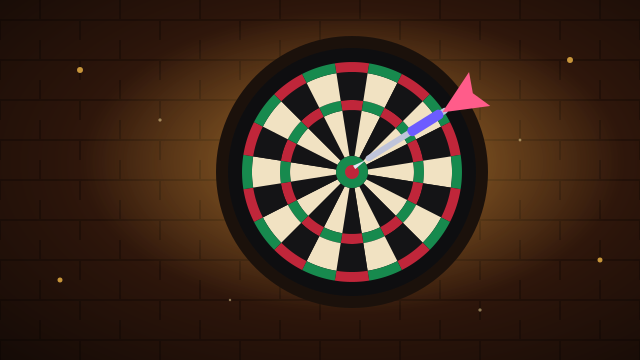
Bullseye Tavern
Darts in a cozy pub. The phone is the dart: aim, flick your wrist and keep holding the phone.
-

Sumo Spheres
A party knockout. Roll your sphere with the thumbstick and bump everyone off the arena.
Android TV and Google TV
The PhoneRemo TV app
Many TVs come without a usable browser. The app runs the games on the TV itself, and turns your phone into a remote for the whole TV.
- Play all four games on the TV, without a browser
- Control the TV from your phone: air mouse, remote buttons and a keyboard
- Pair once with the same QR code
Install in three steps
- On the TV, install the free Downloader app from the Play Store.
- Open Downloader and enter phoneremo.com/tv.apk
- Install, then open PhoneRemo from your apps.
Privacy in short
No account and no tracking. Remote control uses an Android accessibility service, which you turn on yourself, only to move the cursor and to perform the clicks and keys you send from your phone.
Read the privacy policySamsung or LG TV?
Open play.phoneremo.com in the TV browser. The lobby works there, but most of these browsers can't run the 3D games. For those, use a computer, a Chromecast with Google TV or the TV app.
For developers
Add phone control to your own site
Import the SDK from any https site. There is no registration and no API key.
- Players join by QR code or room code, up to eight at a time
- Your page picks the controller: pointer, steering wheel, thumbstick, motion or throw gestures
- Peer-to-peer on the same network, with the relay as a fallback
import { PhoneControllerHost } from 'https://phoneremo.com/sdk/v2/index.js';

const host = new PhoneControllerHost({ cursor: 'dom' });
const session = await host.ready;
document.querySelector('#qr').src = session.qrDataUrl;

host.on('playerJoin', ({ player }) => {
  console.log(player.label ?? 'A player', 'joined');
});
host.on('click', ({ x, y }) => console.log('tap', x, y));
Questions and answers
Do I need to install anything?
No. The phone uses its camera and browser. The screen opens a web page, or the PhoneRemo app on Android TV.
Which screens work?
Any computer browser. Android TV and Google TV through the app, including Chromecast with Google TV. Samsung (Tizen) and LG (webOS) TV browsers run the lobby, but usually not the 3D games.
Which phones work?
Recent iPhones (iOS 16.4 or later) and Android phones with an up-to-date browser. Motion controls use the phone's sensors; an iPhone asks for permission the first time.
How many people can play?
Up to eight phones per screen. Each game says how many play at once; the others wait for the next round.
Does it cost anything?
No. There is no account to create and nothing to buy.
What happens to my data?
Your inputs travel through our relay, or directly between the phone and the screen on the same network. Our servers keep nothing from a session after it ends, except technical logs without ids or names, kept for 14 days. Your phone's browser keeps your name and rejoin details; the screen's browser or the TV app keeps the session code and your preferences. What is stored, and where